Extract data from any document.Straight into a spreadsheet.
PDFs, photos and spreadsheets become validated Excel in minutes: invoices, energy bills, statements, freight documents. Describe the fields once; Colunar reads every layout and records where each value came from.
20 free credits · No credit card · Delete your data anytime
Try it now, no account needed
Pick a document type, drop one file (up to 8 MB, 5 pages) or use a sample. Real extraction, real worker.
Document type
or try a sample
Demo files are deleted within 24 hours and are never used to train models.
Real extraction on the same engine as the product · Demo files are deleted within 24 h
PDF, PHOTO, SCAN, EXCEL AND CSV. ONE WORKFLOW.
01 / WHO IT IS FOR
Built for teams that receive documents in volume.
Every area has its documents and its fields. Pick yours and start from a ready-made playbook.
02 / HOW IT WORKS
From PDF to spreadsheet in three steps.
You decide what matters. Colunar finds, validates and organizes the fields, file by file.
- 01
Describe the fields you want
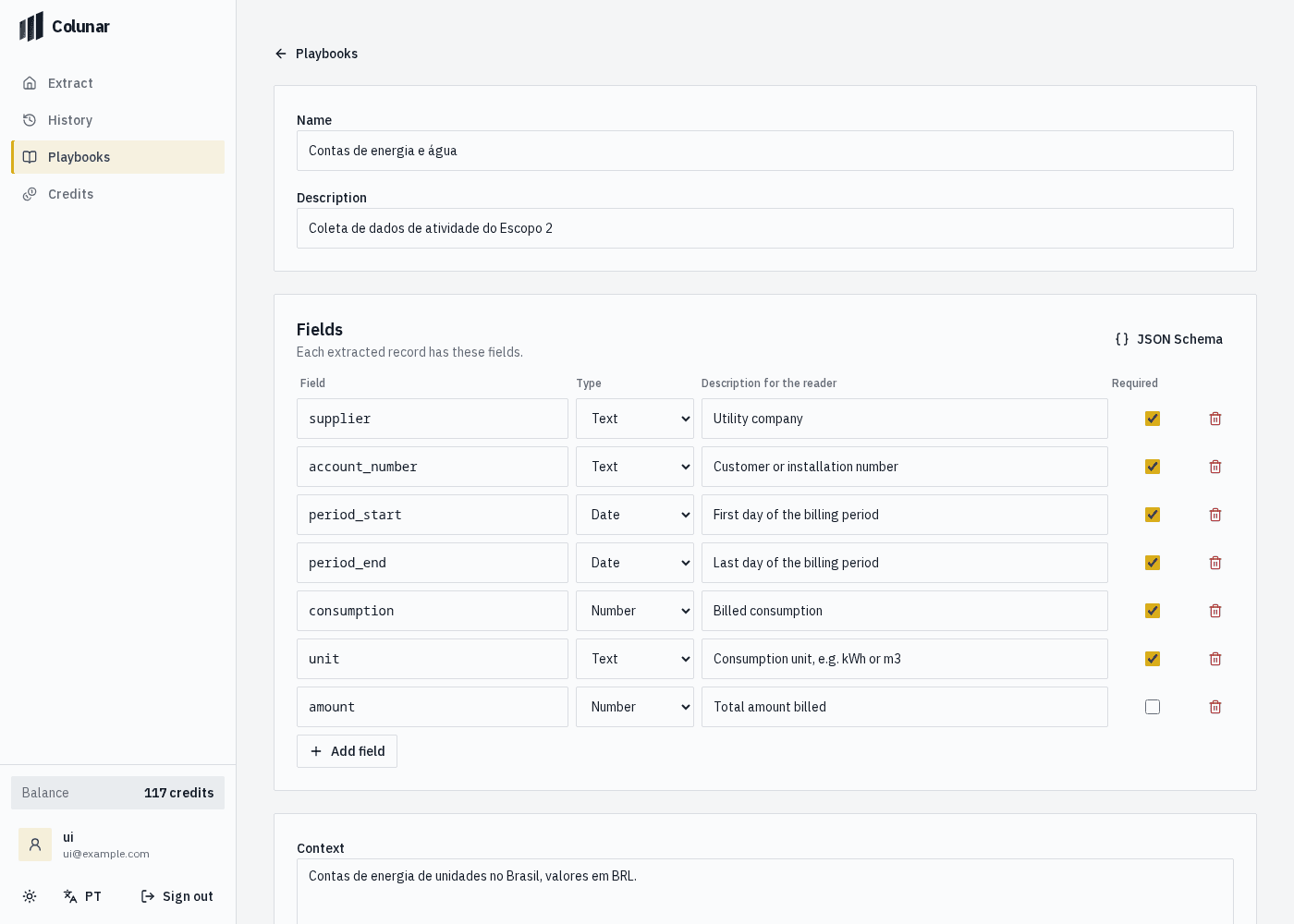
Pick a ready-made playbook or list your columns: supplier, date, amount, consumption. Types and required fields become a schema.
supplierdatetotal - 02
Drop the files, in bulk
Native or scanned PDFs, phone photos, XLSX and CSV. Each file shows up in the table as soon as it is read, with warnings when something could not be read.
PDFJPGXLSX - 03
Check the source and export
Every value points to the page, sheet or row it came from. Download as Excel, CSV, JSON or Markdown.
ExcelCSVJSONMarkdown
03 / THE PRODUCT
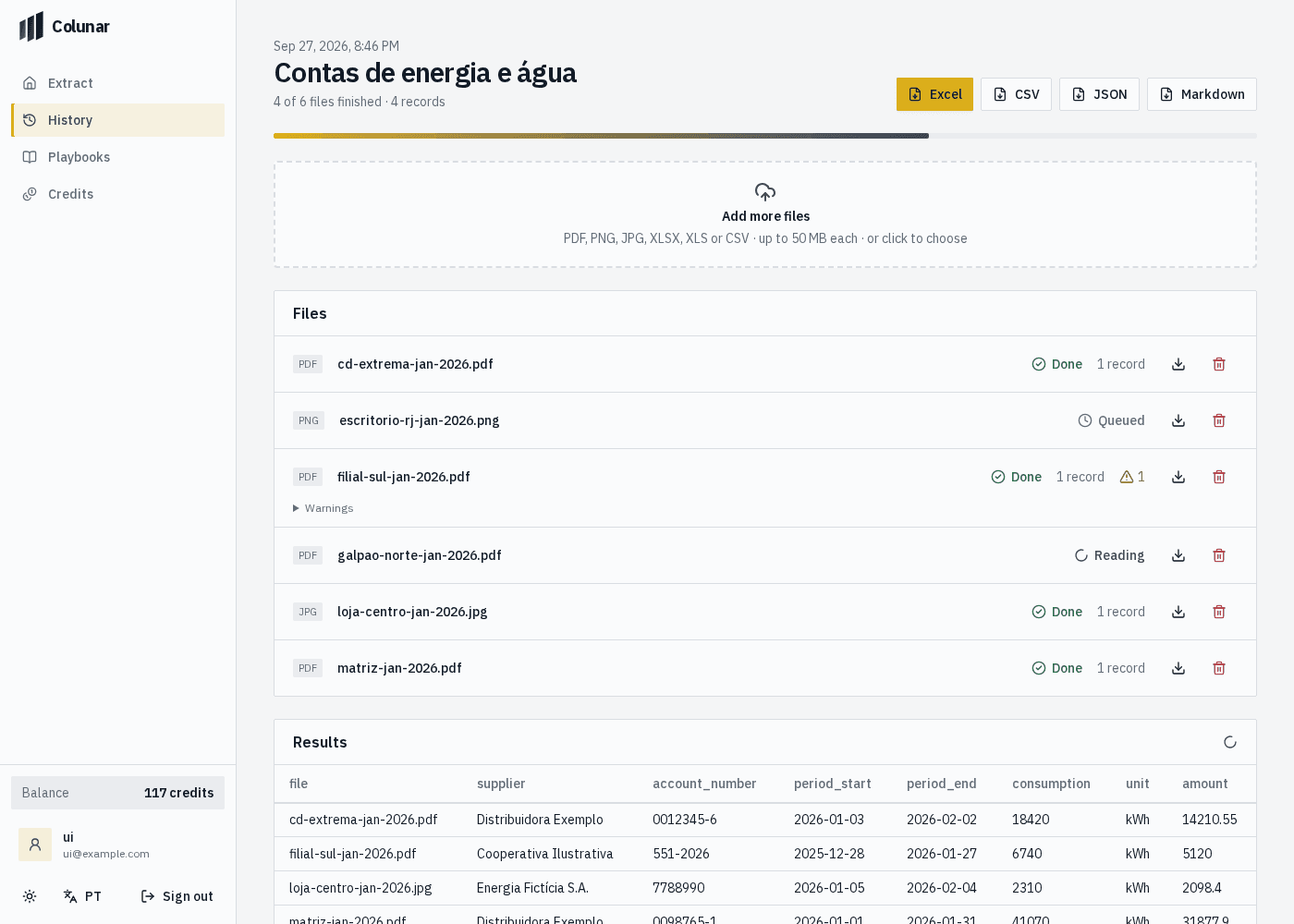
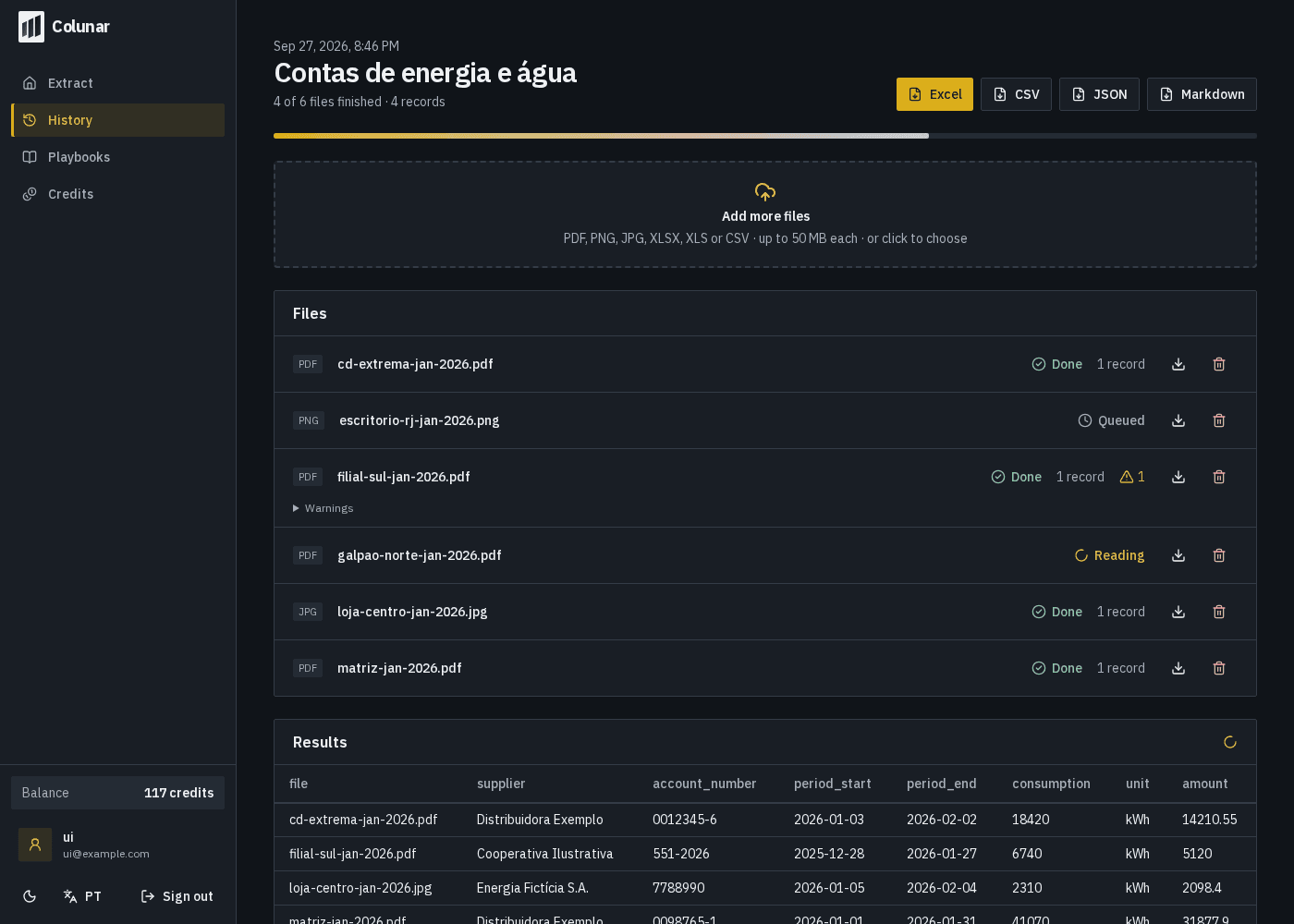
The table fills in while the files are being read.
No hidden queue: each file shows its state, its warnings and its records as it finishes.
04 / PLAYBOOKS + SKILLS
Reading rules that apply to every following file.
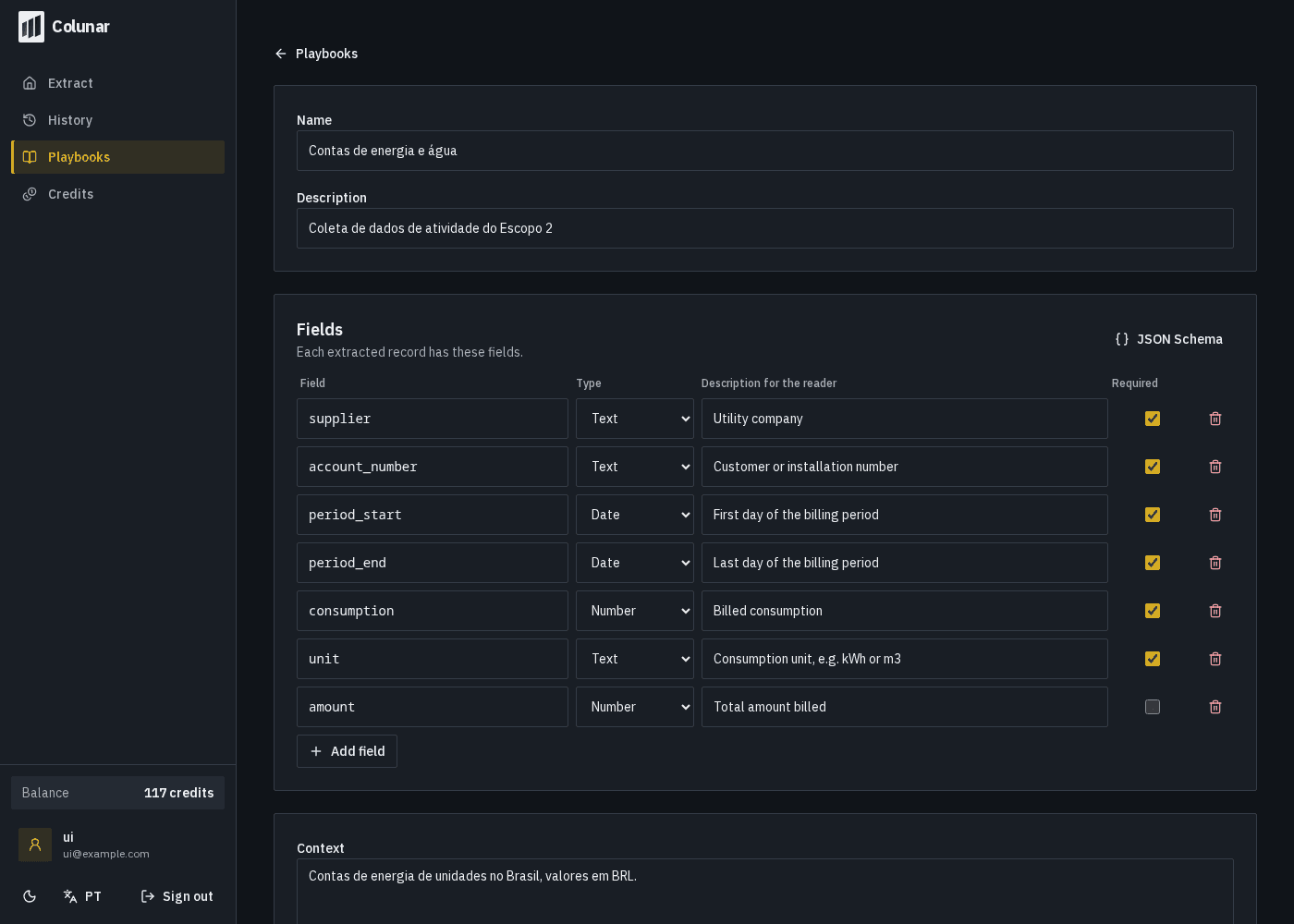
A playbook defines the fields. Skills add instructions and reviewed examples that guide interpretation. See a rule in action.
Provide a document and its expected result to guide future readings.
Read dates as day/month/year. In Brazilian amounts, a dot separates thousands and a comma separates cents.
Provide a document and its expected result to guide future readings.
05/09/20262026-09-05R$ 1.250,001250.00Skill applied
Illustrative example. Skills guide reading; review results from your own documents.
05 / CAPABILITIES
Built for documents that do not follow a template.
Stacked tables, poor scans and fields that move around are the common case, not the exception.
Several tables in one sheet
Stacked headers, total rows and irregular regions are detected and mapped; every row becomes a record.
Scans and phone photos
Pages without selectable text are read by vision models, with enlarged regions for small print.
Validation and source on every record
Types and required fields are checked against the schema. Issues become warnings per file; nothing is dropped silently.
Documents that usually come in
- Invoices and fiscal notes
- Electricity and water bills
- Bank statements
- Receipts and expenses
- Purchase orders
- Freight documents
- Lab reports
- ESG and emissions data
06 / COMPARISON
Why not paste it into a chatbot or use OCR?
For one document, any tool will do. For fifty a week, what matters is bulk, validation and traceability.
| Manual typing | Traditional OCR | Generic AI chat | Colunar | |
|---|---|---|---|---|
| Fixed fields, right format | Depends on the person | Loose text only | Changes every answer | Validated schema |
| Batches of dozens of files | Hours | Yes, without fields | One at a time | Yes, with a live table |
| Source of every value | No | No | No | Page, sheet and row |
| Reusable rules | In someone's head | Template per layout | Rewrite the prompt | Playbooks and skills |
| Export | It is the spreadsheet | Text | Copy and paste | Excel, CSV, JSON, Markdown |
07 / PLANS
Pay only for what you process
Start with 20 free credits. Pick a monthly plan, top up when you need, or talk to us for volume.
Starter
For individuals and first workflows.
R$30/month
- 200 credits / month
- +100 credits in your first month
Credits per file
- CSV1 credit
- XLSX2 credits
- XLS2 credits
- PDF4 credits
- PNG3 credits
- JPG3 credits
- JPEG3 credits
Top-up
100 credits that never expire · R$20
Plan credits reset every month.
BEFORE YOU START
Frequently asked questions
Which files can I upload?
Native or scanned PDFs, PNG, JPG and JPEG images (including phone photos) and XLSX, XLS and CSV spreadsheets, up to 50 MB per file and 200 pages per PDF.
Do I need to build a template for each layout?
No. You describe the fields once, in a playbook. Colunar reads each document by content, not by position, and adapts to bills, invoices and statements from different issuers.
Does it work with energy bills from any utility?
Yes. Utility, consumer unit, reading period and consumption are read regardless of layout. Specific rules, such as using the reading period instead of the billing month, go in as playbook instructions.
Does it read scans and phone photos?
Yes. Pages without selectable text are read by vision models, with enlarged regions for small print. Whatever is unreadable becomes a warning instead of an invented value.
How accurate is the extraction?
Every record is validated against the schema you defined, and issues are reported per file and page. Accuracy depends on the document and your rules; that is why the source of every value is recorded for review, and reviewed examples (skills) guide the following readings.
How do credits work?
Each file costs credits by type: CSV 1, XLSX and XLS 2, image 3, PDF 4. Credits are charged when processing starts and returned if the file cannot be processed.
What happens to plan credits at the end of the month?
Plan credits are valid until the next renewal and do not roll over. Welcome and top-up credits never expire.
Are my documents private?
Files are stored encrypted on AWS, used only to process your extractions and never to train models. You can delete any file, extraction or your whole account at any time.
What export formats are available?
Excel (XLSX), CSV, JSON and Markdown, for a single run with all of its files. You can also download the original files.
Do I need to install anything?
No. It is a web service: sign in with your email or Google, drop the files and download the result in the browser.
Is there an API or integration with other systems?
Not yet. Today the export is by file (Excel, CSV, JSON). If you need an integration, talk to us about the Enterprise plan.
How do I pay and which payment methods are accepted?
Payments are processed by Stripe with a credit card. Monthly plans renew automatically and can be canceled at any time; top-ups are one-time purchases. Every purchase comes with an invoice.
LESS TYPING. MORE DATA.
Your next batch of documents can come out as a spreadsheet.
Create an account with your email or Google and get 20 free credits.
Start free